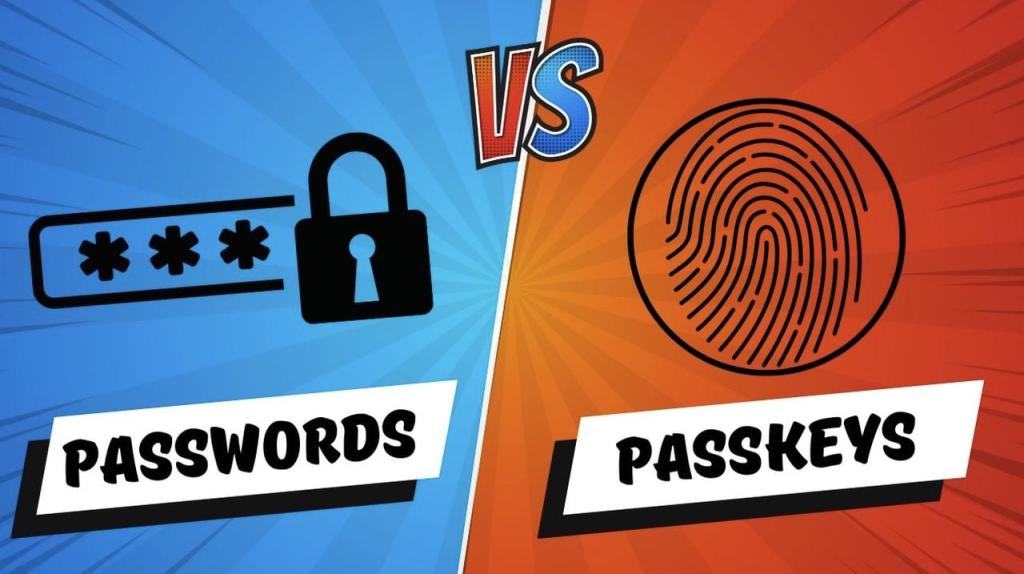
69% of consumers already have a passkey. Microsoft just auto-enrolled millions more. Here's what passkeys actually are, why they're more secure than passwords, and how to make the switch on your most important accounts today.
Quick answer
A passkey is a login credential that replaces your password. It uses a pair of cryptographic keys — a private key locked on your device and a public key held by the website — and authenticates you via your device's biometrics or PIN. Passkeys cannot be phished, stolen in a data breach, or guessed. They're faster than passwords and are now supported by Google, Apple, Microsoft, Amazon, and hundreds of other major platforms.
The password has been the dominant method of online authentication for over 60 years. It has also been the dominant method of getting hacked for most of that time. In early 2026, that era is visibly ending.
Microsoft auto-enrolled millions of accounts into passkeys in March 2026. Google made passkeys the default sign-in for personal accounts in 2023 and saw a 352% increase in authentications as a result. Gemini required all users to create a passkey in May 2025 — and saw a 269% surge. The industry has made its decision. The question now is whether you're ready to make yours.
69%
of consumers now have at least one passkey, up from 39% two years ago
FIDO Alliance & HID Global, 2025
4×
faster to log in with a passkey compared to a password + MFA
HubSpot internal data, 2025
87%
of US and UK companies have deployed or are actively deploying passkeys
FIDO Alliance & HID Global, 2025
What is a passkey and how does it work?
To understand passkeys, it helps to understand what makes passwords so fundamentally weak. A password is a shared secret — you know it, and the website knows it. That means it can be stolen from either end: intercepted as you type it, leaked if the site's database is compromised, or captured by a fake login page designed to look like the real one.
A passkey eliminates the shared secret entirely. Here's what happens when you create one:
1. Your device generates a key pair
When you register a passkey for a website (say, your Google account), your device automatically creates two mathematically linked keys: a private key and a public key. This happens invisibly in the background.
2. The public key goes to the website, the private key stays on your device
Your device sends only the public key to the website. The private key never leaves your device — not during setup, not during login, not ever. This is the core security guarantee of passkeys.
3. Login uses your biometrics, not a typed secret
When you return to log in, the website sends a cryptographic challenge to your device. Your device uses your private key to sign it — but only after you verify your identity with Face ID, a fingerprint, or your device PIN. The signed response proves you're you, without revealing the private key.
4.The website verifies the signature
The website uses your public key to verify the signature. If it checks out, you're in. No password was transmitted, no secret was shared, and nothing useful was sent that a hacker could intercept.
This process takes about two seconds. It's also the reason passkeys are phishing-resistant: the private key is bound to the specific domain it was created for. A fake version of your bank's login page can't use a passkey created for the real one — they're different domains, so the cryptographic challenge simply fails.
Passkeys vs. passwords: a direct comparison
Feature
Password
Passkey
How you authenticate
Type a string of characters
Biometric or device PIN
Can be phished
✗ Yes — fake sites capture them
✓ No — bound to the exact domain
Can be leaked in a data breach
✗ Yes — if the site stores it poorly
✓ No — the private key never leaves your device
Can be reused across sites
✗ Yes — most people do this
✓ No — a unique key is generated per site
Can be guessed or brute-forced
✗ Yes — especially weak passwords
✓ No — cryptographic key, not a word
Requires memorisation
✗ Yes — or a password manager
✓ No — stored and managed automatically
Login speed
~20–40 seconds with MFA
~2–5 seconds
Works if the site's database is breached
✗ Your credentials are exposed
✓ Only the public key is stored — useless without your device
Requires separate 2FA
Yes — recommended for security
No — biometric verification is built in
Works across multiple devices
✓ Yes
✓ Yes — via iCloud, Google, or a password manager
Which platforms support passkeys right now?
Passkey support has expanded dramatically in 2025–2026. According to the FIDO Alliance, nearly half of the top 100 websites now offer passkeys — more than double the number in 2022. Here are the major platforms where you can enable one today:
You can check whether a specific website supports passkeys at passkeys.directory, the FIDO Alliance's official directory of passkey-enabled services.
What happens if you lose your phone?
This is the most common concern people raise about passkeys, and it's worth addressing directly.
Passkeys are not locked to a single physical device. They sync across your devices via the platform you use:
Apple devices — passkeys sync via iCloud Keychain, so they're available on your iPhone, iPad, and Mac simultaneously.
Android / Google — passkeys sync via Google Password Manager across all signed-in Google devices.
Third-party managers — 1Password, Dashlane, Bitwarden, and others now support passkey storage, giving you cross-platform flexibility.
If you lose your only device and have no others, you'll need to recover your account using the site's account recovery process — the same process you'd use if you forgot a password. This is why it's worth setting up passkeys on at least two devices, or using a cloud-synced manager.
One important limitation
Passkeys are not yet universal. While major consumer platforms have moved quickly, many corporate and government systems, healthcare portals, and older web applications still rely on passwords. In these cases, a good password manager remains essential — think of passkeys as the default for new-era platforms, with passwords as the fallback for legacy systems.
Don't delete your password manager yet. Use both.
How to set up your first passkey (step by step)
Setting up a passkey takes under two minutes. Here's how to do it on Google — one of the easiest places to start:
Sign in to your Google account and navigate to the Security section in your account settings.
2. Find "Passkeys and security keys" and tap "Create a passkey"
Google will show you a list of devices eligible to store a passkey. Select your current device.
3. Verify with your biometrics
Your device will prompt you for Face ID, fingerprint, or your device PIN. This is the one-time setup confirmation.
4. Done — your passkey is active
Next time you log in to Google on that device, you'll be prompted to use your passkey instead of your password. The login takes about two seconds.
Repeat this process for your other high-value accounts — email, banking, and any platform where you store sensitive information. Prioritise accounts that contain financial data or that act as a "master key" (i.e., accounts you use to log in to other services).
Should you switch to passkeys in 2026?
Our verdict
Yes, and start with your most important accounts today. Passkeys are more secure than passwords in every measurable way — they eliminate phishing risk, prevent credential stuffing, and remove the weakest link in your security chain: human memory. The experience is also objectively better. The only reasonable case for holding off is that your specific apps or platforms don't support them yet. In that case, keep a strong, unique password and enable app-based MFA while you wait for support to arrive — which it will.
The security industry doesn't often reach a clear consensus this fast. When Google, Apple, Microsoft, Amazon, and the vast majority of enterprise security vendors are all pointing in the same direction simultaneously, it's usually worth listening.
Passwords aren't gone yet — and won't be for years. But for any account that supports a passkey, there is no longer a good security argument for using a password instead.
Frequently asked questions
What is a passkey?
A passkey is a login credential that replaces your password. Instead of a string of characters you have to remember, a passkey is a cryptographic key pair: a private key stored securely on your device and a public key held by the website. You authenticate using your device's biometrics (Face ID, fingerprint) or PIN — no password required.
Are passkeys safer than passwords?
Yes. Passkeys are phishing-resistant by design — they only work on the exact website they were created for, so a fake login page cannot capture them. They also cannot be reused across sites, cannot be leaked in a data breach (the private key never leaves your device), and cannot be guessed. According to the FIDO Alliance, 53% of consumers who know about passkeys consider them more secure than passwords.
What's the difference between a passkey and a password?
A password is a string of characters you create and must remember or store. A passkey is a cryptographic key pair generated automatically for each site — you never see it, type it, or need to remember it. Passwords can be stolen, guessed, phished, or reused. Passkeys cannot.
What happens to my passkey if I lose my phone?
Passkeys sync across your devices via iCloud Keychain (Apple), Google Password Manager, or a third-party manager like Dashlane or 1Password. If you lose your phone, your passkeys are still accessible on your other devices. You can also use another device to authenticate via a QR code scan.
Which websites support passkeys in 2026?
As of 2026, passkeys are supported by Google, Apple, Microsoft, Amazon, eBay, GitHub, PayPal, Coinbase, TikTok, WhatsApp, Shopify, HubSpot, and hundreds more. According to the FIDO Alliance, nearly half of the top 100 websites now support passkeys — more than double the number in 2022. Check passkeys.directory for a complete, updated list.
Do I need to delete all my passwords if I switch to passkeys?
No. Switching to passkeys is gradual. You can create a passkey for one account (such as your Google account) while keeping passwords for sites that don't yet support them. Most platforms let you keep both a passkey and a backup password during the transition period. Don't delete your password manager — you'll still need it for legacy sites.
An urgent guide to combating the new wave of AI-generated voice scams. This article explains how "cloning" works and provides a non-technical, 3-step plan for families to secure their communication.
A veteran's guide to choosing between the discreet power of a smart ring and the notification-heavy utility of a smartwatch in the 2026 wearable market.
A comprehensive deep-dive into the 2026 "AI PC" phenomenon. We move past the marketing buzzwords to look at how Neural Processing Units (NPUs) are actually changing local software execution and why your next upgrade might be more about "brains" than "speed."